What is in Settings
Settings is the cog in the top corner of the app, on any of the main tabs. Everything that shapes your plans, and everything to do with your account, is behind it.
Bolus Premium
Which tier you are on, with the renewal date if you are subscribed, and Restore purchase. See what is free and what is Premium.
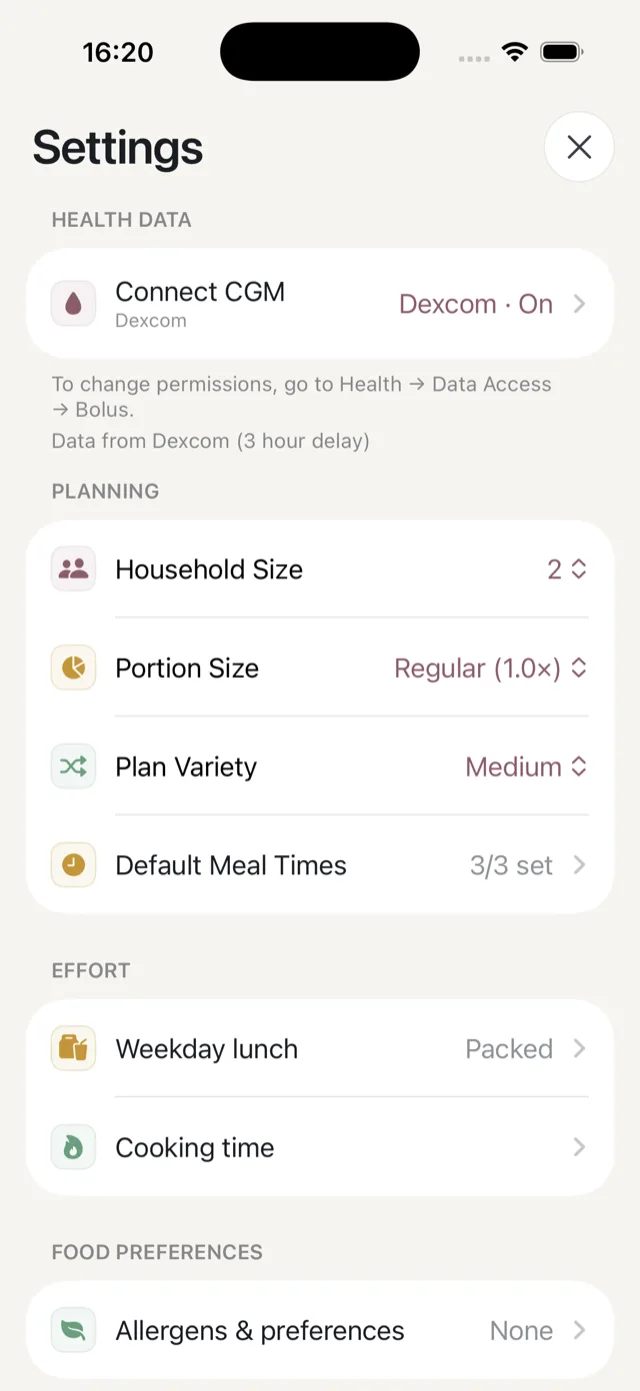
Health data
- Connect CGM links FreeStyle Libre or Dexcom, and shows whether data is arriving. See Your CGM.
- Exercise connects Apple Health for your steps, workouts, energy, heart data and weight. See connect Apple Health.
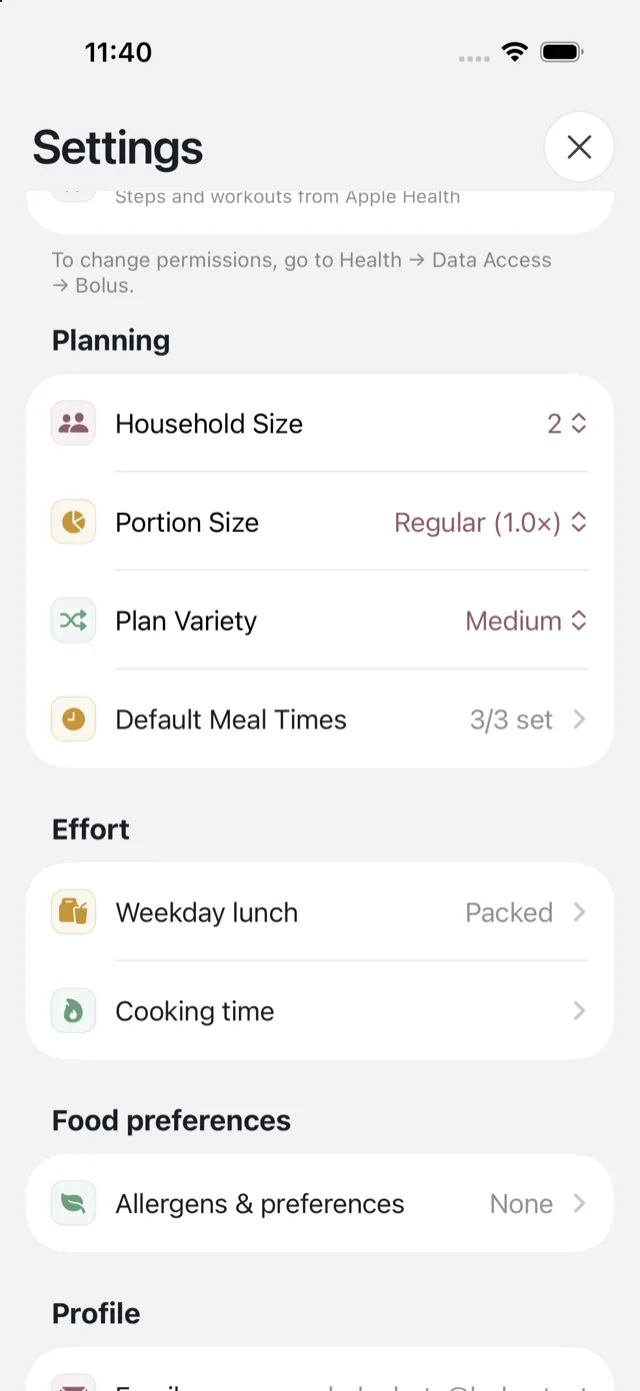
Planning
- Household size — how many you are cooking for.
- Portion size — how big a serving is.
- Plan variety — how much repetition you get.
- Default meal times — when you normally eat.
See how your plans are shaped.
Effort
- Weekday lunch — whether lunch is cooked or bought.
- Cooking time — how long you want to spend, meal by meal.
See cooking effort and meal times.
Food preferences
Allergens & preferences holds your allergens, your diet pattern and the foods you would rather avoid. See allergens and food preferences.
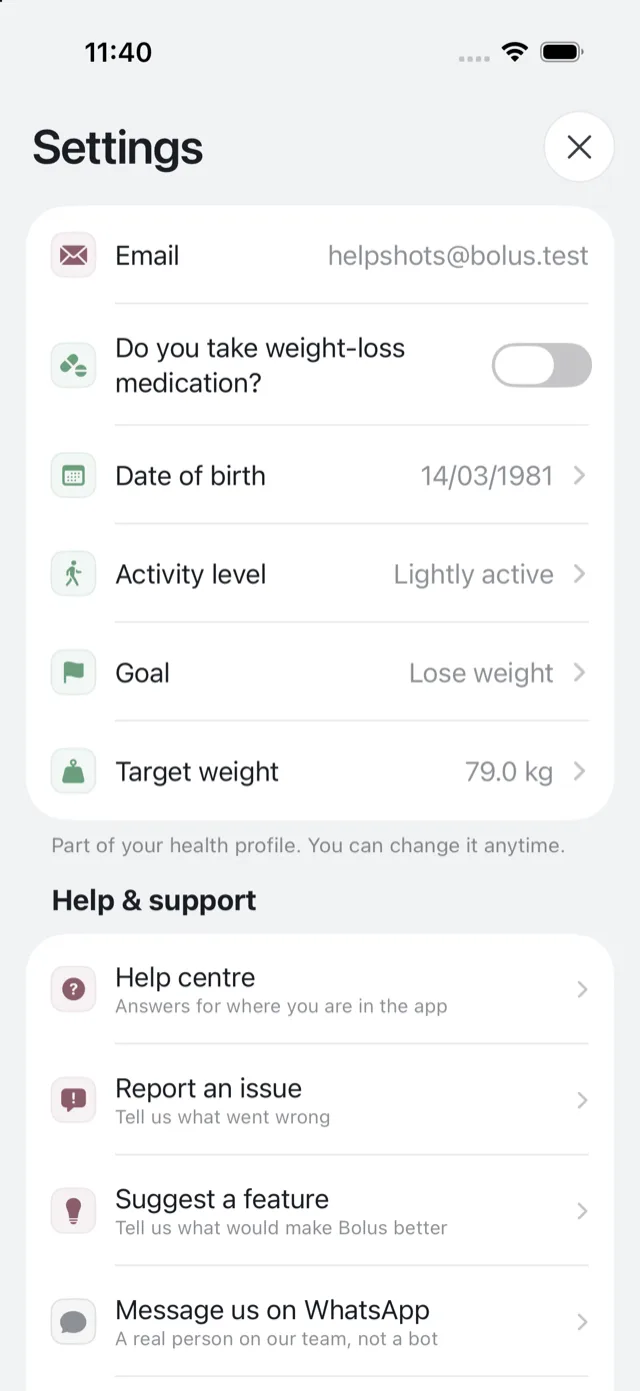
Profile
Your email, your health details, your date of birth and activity level, your goal, and your target weight if your goal is losing weight. See your goal and profile.
Help and support
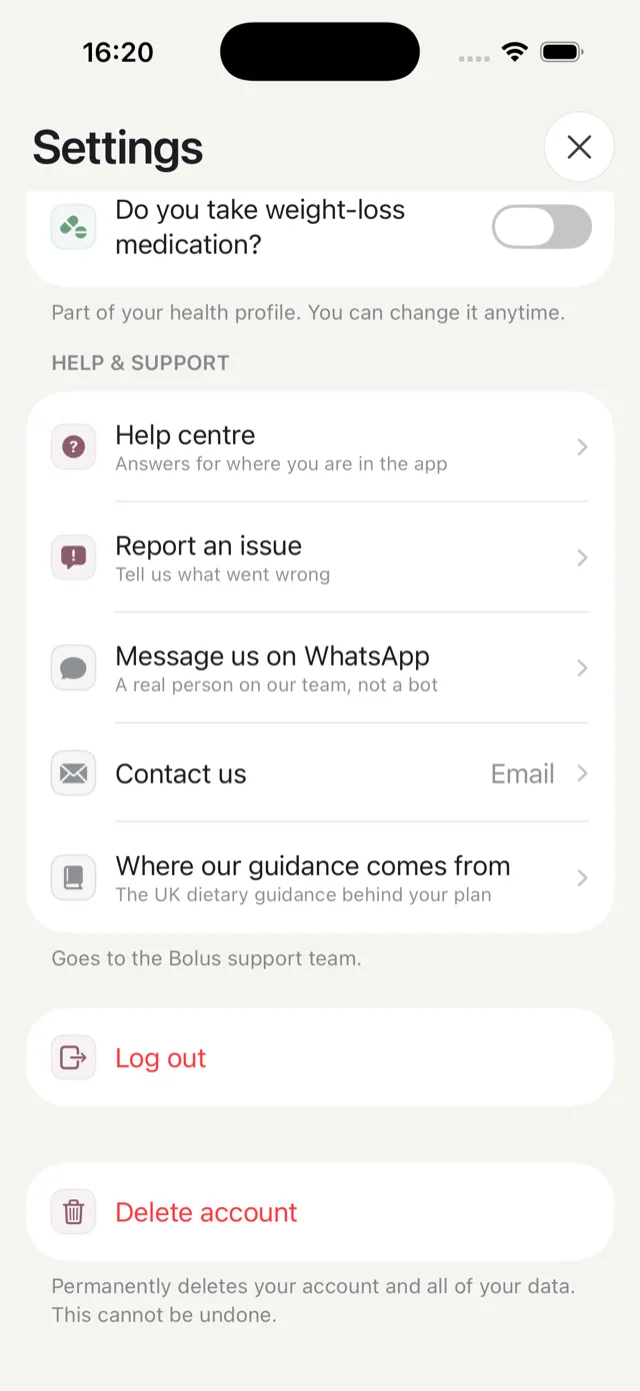
The help centre, reporting an issue, suggesting a feature, WhatsApp and email. See get in touch with us.
At the very bottom: log out and delete your account.