Your profile
Your goal and profile
Your profile sits under Profile in Settings, and everything in it can be changed at any time.
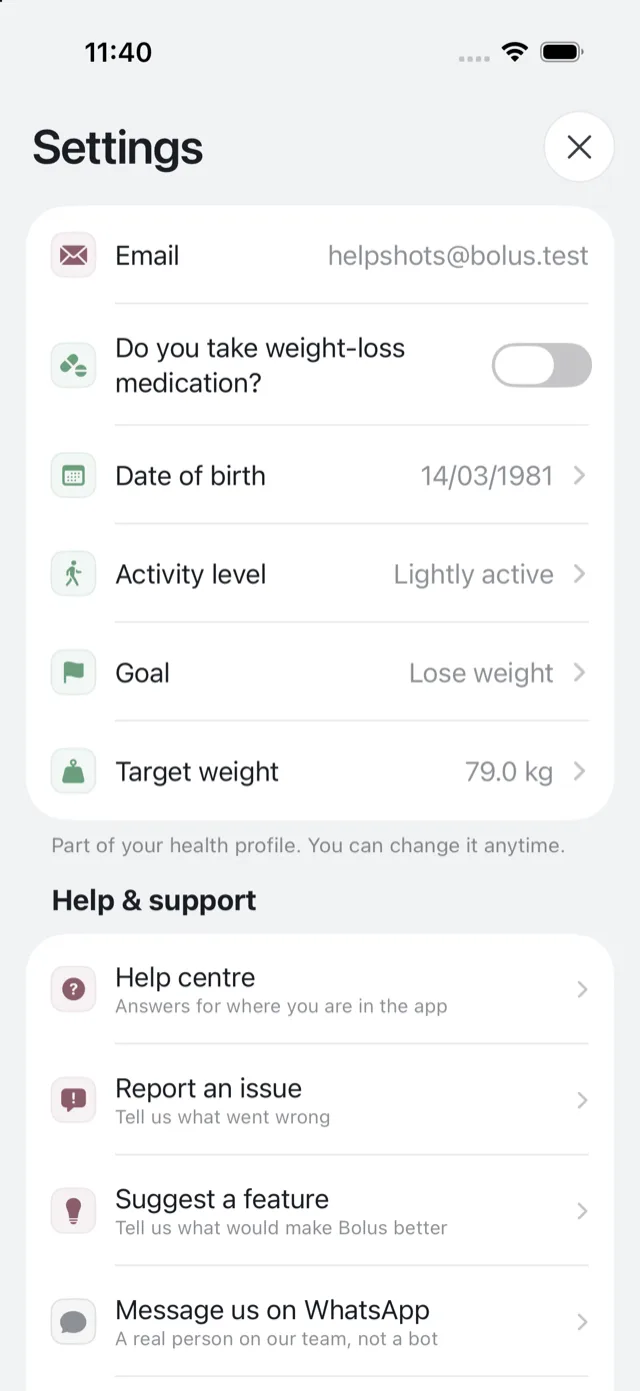
Your goal
Goal is what you are working towards: losing weight in a sustainable way, eating healthier more consistently, feeling more in control around food, or eating better for a health reason. You chose it at setup.
It is not decoration. It shapes the meals you get planned and how Emily coaches you, and it gates the target weight row underneath it: a target weight belongs to the weight-loss goal, so that row appears when your goal is set to it. See set a target weight.
What else you can change
- Your date of birth and activity level. These help Bolus judge portions and meals for you rather than for an average. No calorie figure is ever derived from them and shown to you.
- Your height and weight, in metric or imperial.
- Whether you take weight-loss medication, part of your health profile.
- Your diabetes type, if it was recorded incorrectly.
Your email
Your email comes from Apple, so it is changed on the Apple side rather than in Bolus, and it is shown here read-only. If you use Hide My Email, the relay address is managed in your Apple settings. See sign in with Apple.
Your units
Weight can be shown in st, lb or kg, and the toggle on the weight card switches both the chart and the entry fields. See your weight trend.
What changing them affects
Height, weight, age, activity and health details shape how Bolus balances your weeks and how Emily talks to you. They are not used to set you a calorie target.
Changes apply to the next plan Bolus builds. Your current week stays as it is unless you change household or portion size, which re-scale immediately. See change portion and household size.