How your plans are shaped
Cooking effort and meal times
Bolus plans around how much time you actually have, which varies by meal and by day. Every meal carries an effort badge so you can see at a glance what you are in for.
The four levels
| Badge | Roughly |
|---|---|
| Easy | 20 minutes or more |
| Standard | about 15 minutes |
| Tight | about 10 minutes |
| V.Tight | 5 minutes or less |
The badge sits in the corner of the meal card on Today, and in each row in the Plan segment of the Food tab.
Setting it
In Settings → Cooking time you set how long you want to spend on breakfast, lunch and dinner.
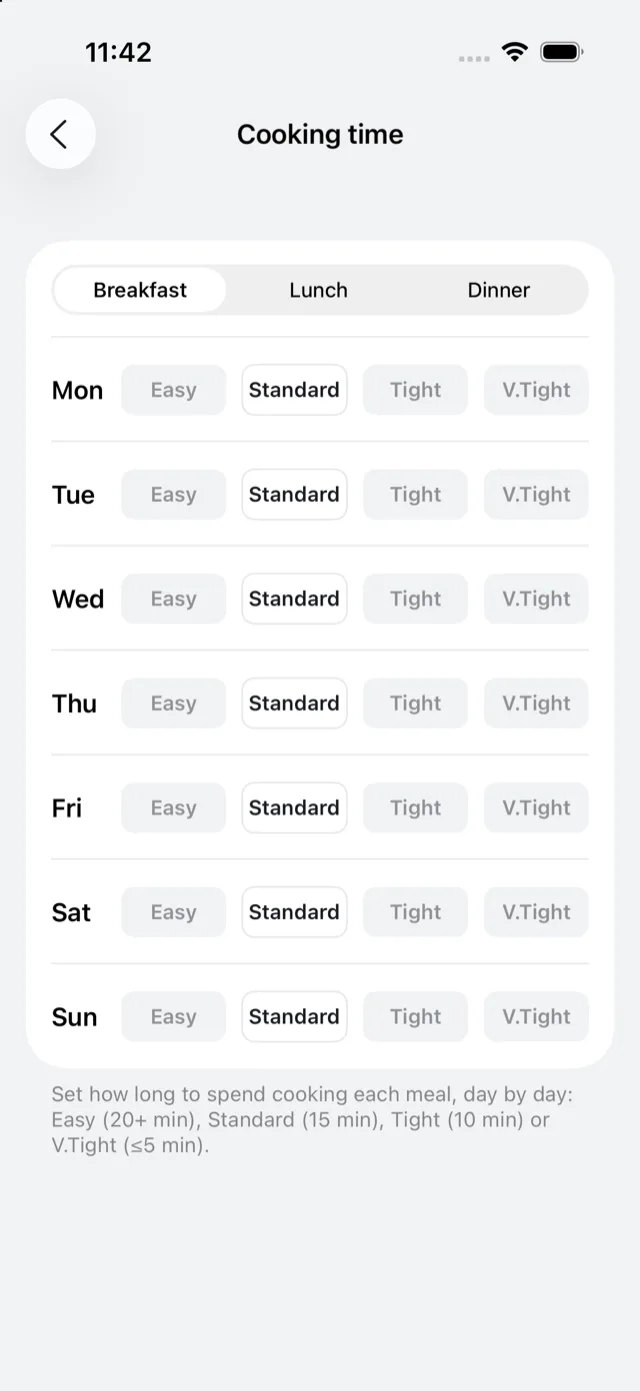
Weekday lunch has its own setting, for whether Bolus plans you a lunch each weekday or leaves Monday to Friday open for you to buy, and whether lunch needs to be packable.
Meal times
Default Meal Times sets the times you normally eat breakfast, lunch and dinner. Those times show as badges against each meal in your week.
They matter for two reasons: they decide what counts as your “next” meal on Today, and, if your CGM is connected, they let Bolus line meals up against your glucose. See meal glucose response.
If you ate at a very different time from the planned one, you can correct the time on the meal itself, under Edit meal time. Where Bolus can tell the time from your data it fills it in and marks it as detected; where it cannot, it uses your default.
When changes take effect
Cooking time and meal times mainly shape the next plan Bolus builds, since the week you are in is already made. If a particular night is wrong this week, swapping that meal is the faster fix. See swap a meal.