How your plans are shaped
Notifications
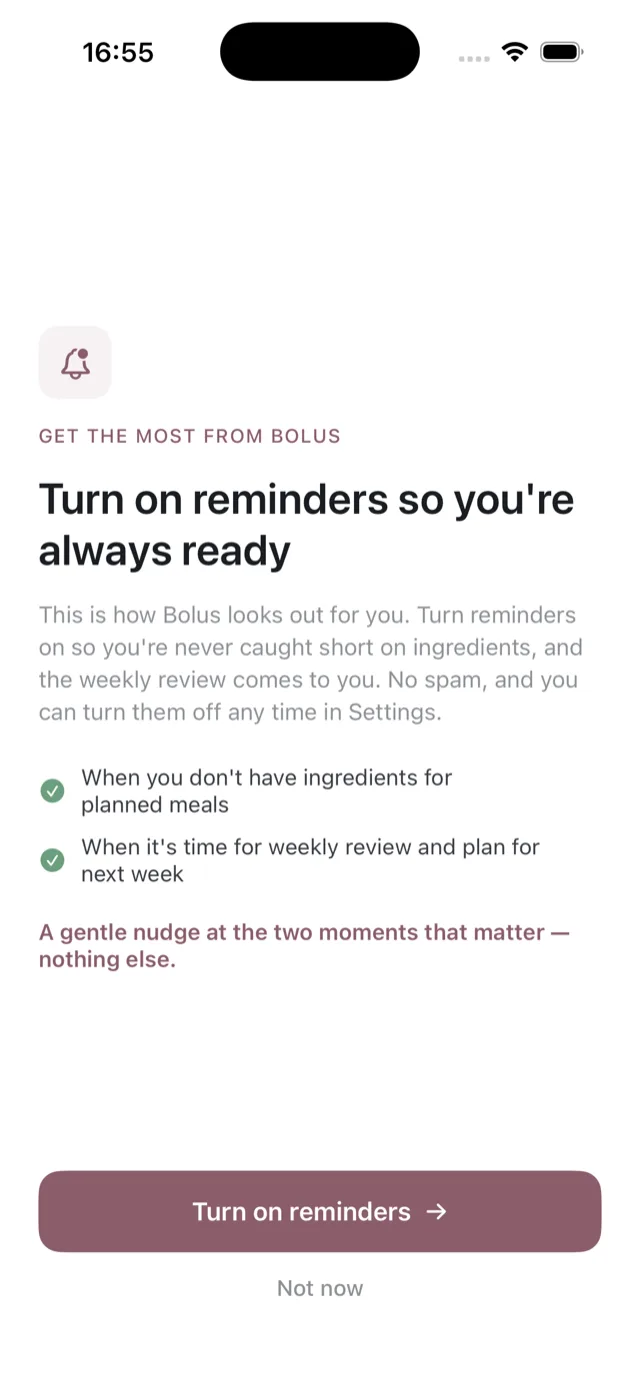
Bolus sends two reminders. That is the whole list, and both are optional.
The two
- Missing ingredients. When you do not have everything for tonight’s dinner, so you find out while there is still time to pop out. See when you are short of ingredients.
- Your weekly review. When it is time to look back on the week and set the next one up, and again if it goes overdue. See what the weekly review is.
There is no daily nagging, no streak reminder, and nothing about what you weighed.
Turning them on
Bolus explains what the two reminders are before asking, then iOS shows its own permission dialog. If you said no at the time, you can turn them on later in your iPhone Settings, under Bolus, then Notifications.
Turning them off
The same place: your iPhone Settings, under Bolus. The app works exactly the same without them, minus the nudges.
The Live Activity
The meal Live Activity on your Lock Screen uses the same permission. If you turn notifications off, it stops appearing too. See widgets and the Live Activity.