Set up the app
Your first week
When you finish setup, Bolus builds your first plan and the shopping list to match. It takes a moment, and then your week is there.
What you get
Seven days of breakfasts, lunches and dinners, sized for your household, avoiding your allergens, and fitted to how much time you said you have. Plus a shopping list, grouped by aisle. Your plan starts tomorrow, so today is for shopping.
The Premium offer
Straight after the plan is built, Bolus shows you what Bolus Premium adds: Emily, the AI coach, weight goals, how each meal lands on your glucose, and your activity in context. It is an offer, not a gate. Tap Continue with free and you go into the app with your plan, your shopping list and everything else intact.
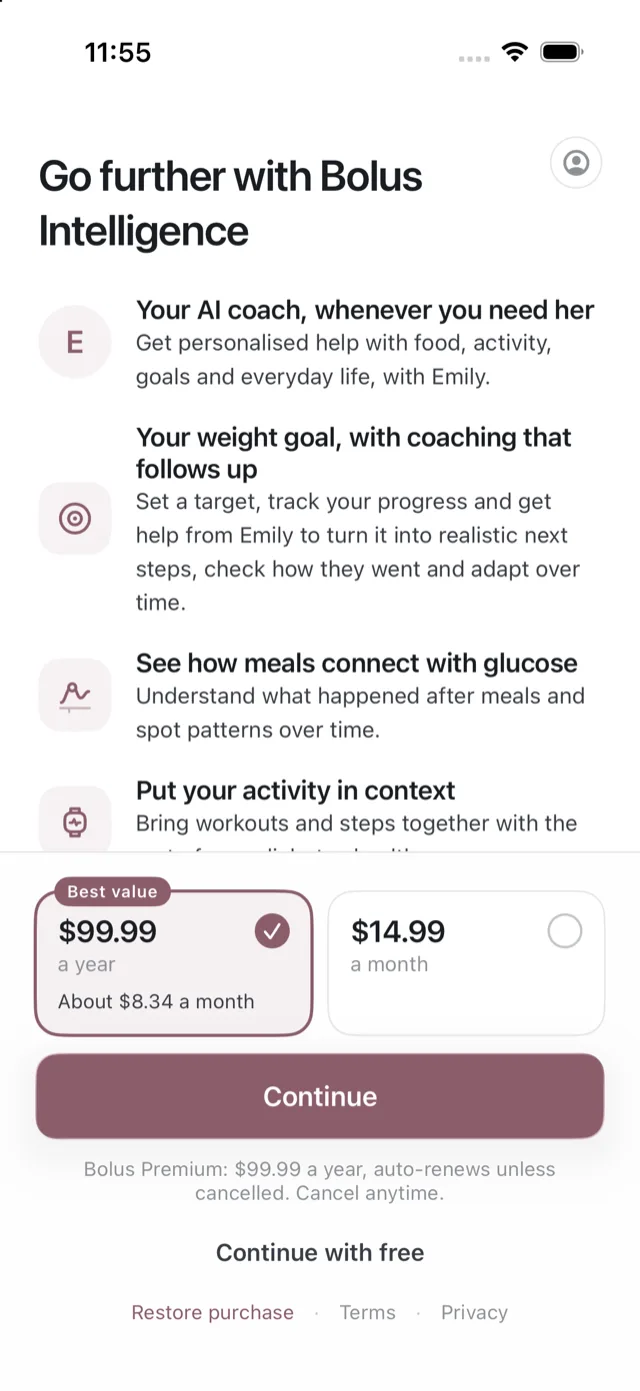
You can look at it again any time from Settings. See what is free and what is Premium.
The getting set up checklist
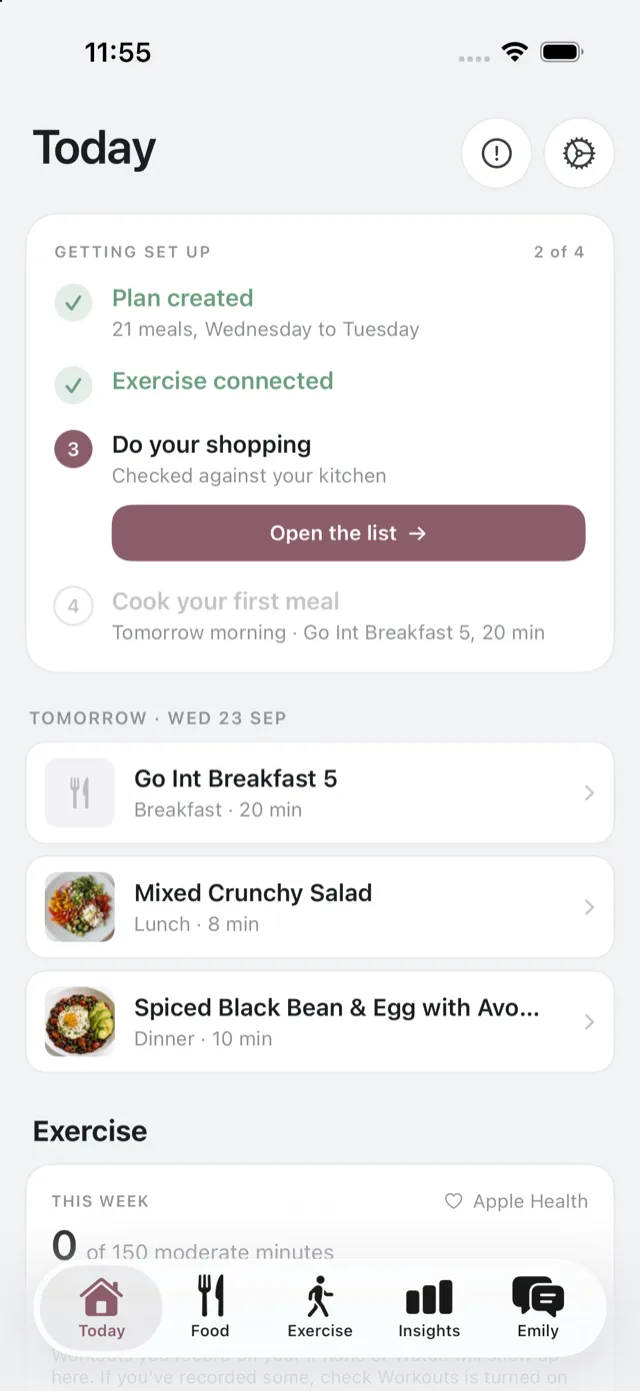
Until your first meal, the Today tab carries a short checklist:
- Plan created. Done already, with the meal count and the days it covers.
- Say hello to Emily. A few minutes with the coach about what you are working towards and a first step. This step appears for Premium members. See what Emily is.
- Bring in your exercise. Connect Apple Health so your steps and workouts show up alongside your day, if you did not do it during setup. See connect Apple Health.
- Do your shopping. Opens the list, checked against your kitchen. See how your shopping list works.
- Cook your first meal, tomorrow morning. See cook a meal.
Reminders
Bolus offers to turn on reminders. There are only two: when you do not have the ingredients for a planned meal, and when it is time for your weekly review.
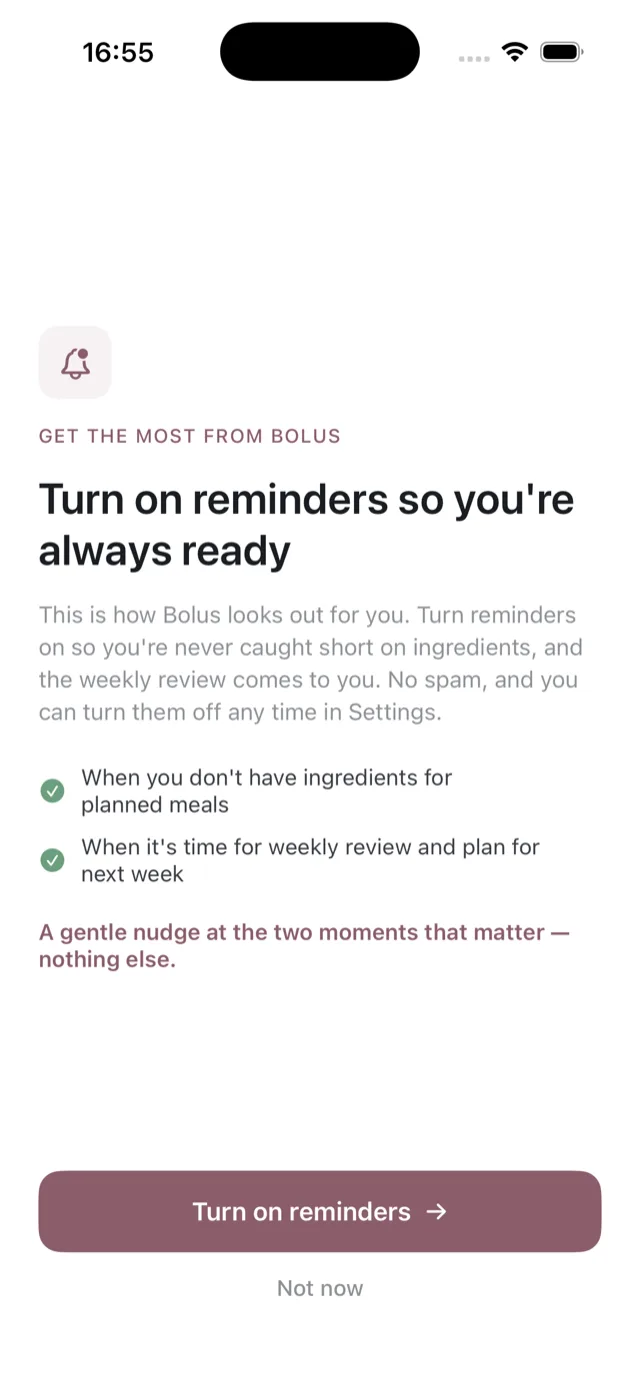
You can say no and the app works the same, minus the nudges. See notifications.
If the first week does not look right
Change it. Swap anything you do not fancy, change your portion or household size, or adjust your settings. The first week is a starting point built from a two-minute questionnaire, and it gets better as Bolus learns. See changing your week.
If Bolus could not build a plan
Very occasionally the combination of allergens, diet pattern and avoided foods leaves too little to plan from. If that happens the app tells you, suggests loosening one of them, and offers to put you in touch with us so we can set it up with you.