What the Insights tab shows
Insights looks backwards, not forwards: what actually happened, rather than what was planned.
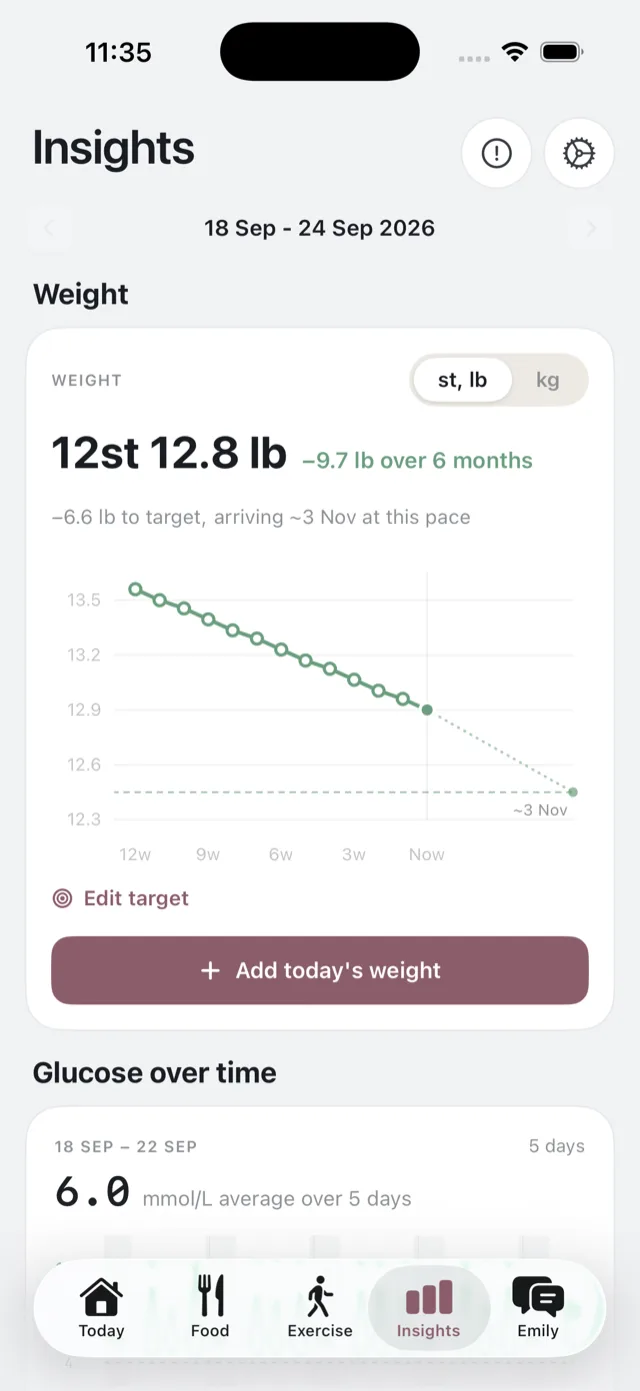
Choosing a week
Arrows either side of the date range move between weeks, so you can look back at any week you have had.
What is on the screen
- Weight, your trend over the last 90 days and, if you have set one, your path to a target. See your weight trend.
- Glucose over time, your trace across the week and your time in range over 7 to 90 days, if your CGM is connected. See your glucose over time.
- Meals this week, a day strip and the tally of eaten, swapped, ate out and skipped. See meals this week.
- Food quality, the nutrition of the Bolus meals you ate. See food quality and nutrition.
- Meal glucose response, how each dish has landed on your glucose. Part of Premium. See meal glucose response.
- Activity this week, if you have connected Apple Health. The fuller version is the Exercise tab. See what the Exercise tab shows.
If your goal is losing weight, the weight card leads. Otherwise the order puts your food first.
What it is not
Insights is not a scoreboard. There is no grade, no streak, and nothing to fail. It also does not tell you what to do next: that is the weekly review’s job, and Emily’s. See what the weekly review is.
Bolus is not a medical device. Nothing in Insights is a diagnosis or a treatment recommendation, and none of it is dosing guidance.
If it looks empty
Insights is built from meals you have marked as eaten and, for the glucose parts, from a connected CGM. In your first week there will be little to show until you have marked a few meals. See mark what you ate.