Your day
Glucose and exercise on Today
Below your meals, Today carries two cards about the day you are actually having. Both are optional: each one appears only once you have connected the thing it draws from.
Glucose
If your CGM is connected, a Glucose section shows your day: the trace from midnight to your most recent reading, that reading as a figure in mmol/L with the time it arrived, and how much of the day so far sat in the normal range of 4 to 10.
Tap it to open Your day, the fuller view, where the trace is scrollable, your meals are marked along it, and time in range is shown over 7, 14, 30 or 90 days. See your glucose over time.
The trace itself is free at every tier. What Premium adds underneath is the per-dish reading of it: how this particular meal has landed on you before. See meal glucose response.
The lines at 4 and 10 mmol/L are there to read the chart against. They are not a target Bolus is setting you, and nothing here is dosing guidance.
Exercise
If Apple Health is connected, an Exercise card shows the week so far: your credited moderate minutes against the weekly aim of 150, how many sessions that came from, and how much is left to go.
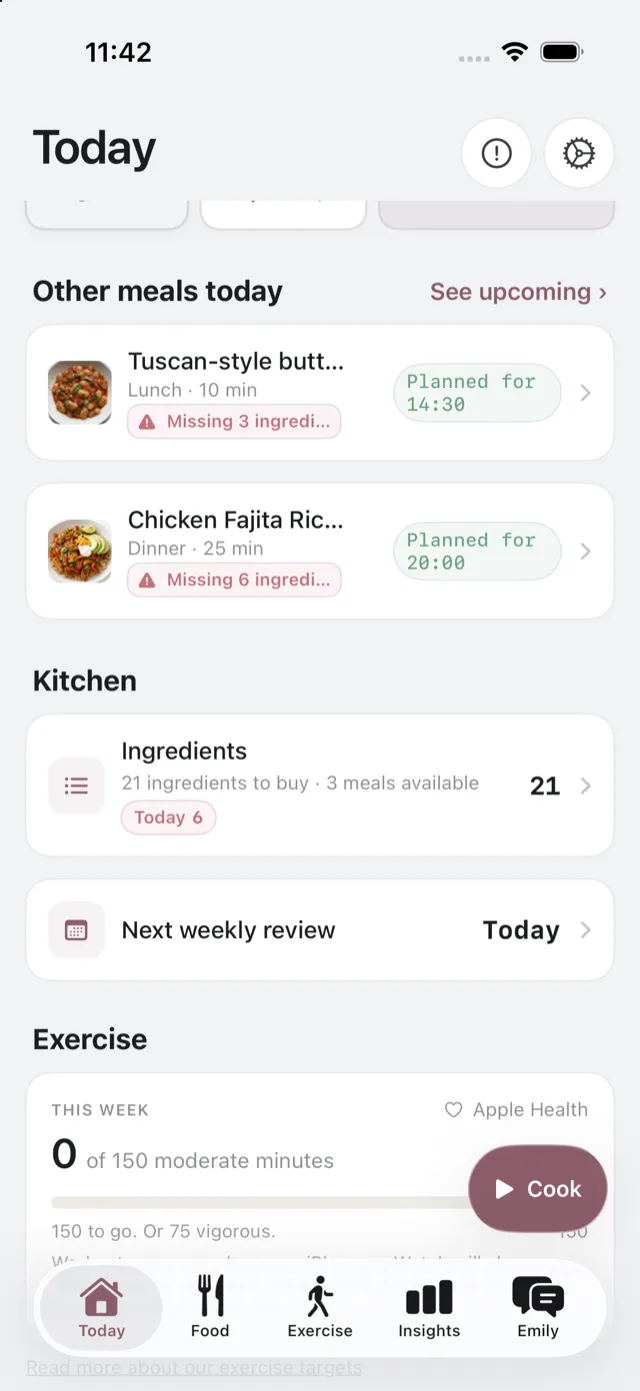
Tap it to open the Exercise tab, where the same week is broken down by intensity, with steps, energy and your heart and fitness figures. See what the Exercise tab shows.
If neither is there
That is the normal state for someone who has connected nothing, and nothing is missing: Today still leads with your next meal, the rest of the day, and your shopping. Connect either one whenever you like from Settings. See Your CGM and connect Apple Health.