Your week
When your next week arrives
Next week does not appear on its own. It is created at the end of your weekly review, and that is deliberate: the review is what shapes it.
The sequence
- A couple of days before your current week ends, Bolus offers you the weekly review.
- You confirm what happened with the week’s meals.
- You choose the start date for the new plan, and whether to put it on holiday.
- Bolus builds the plan and its shopping list.
Until that happens, the Next week button at the top of Upcoming and Kitchen stays locked, and says so.
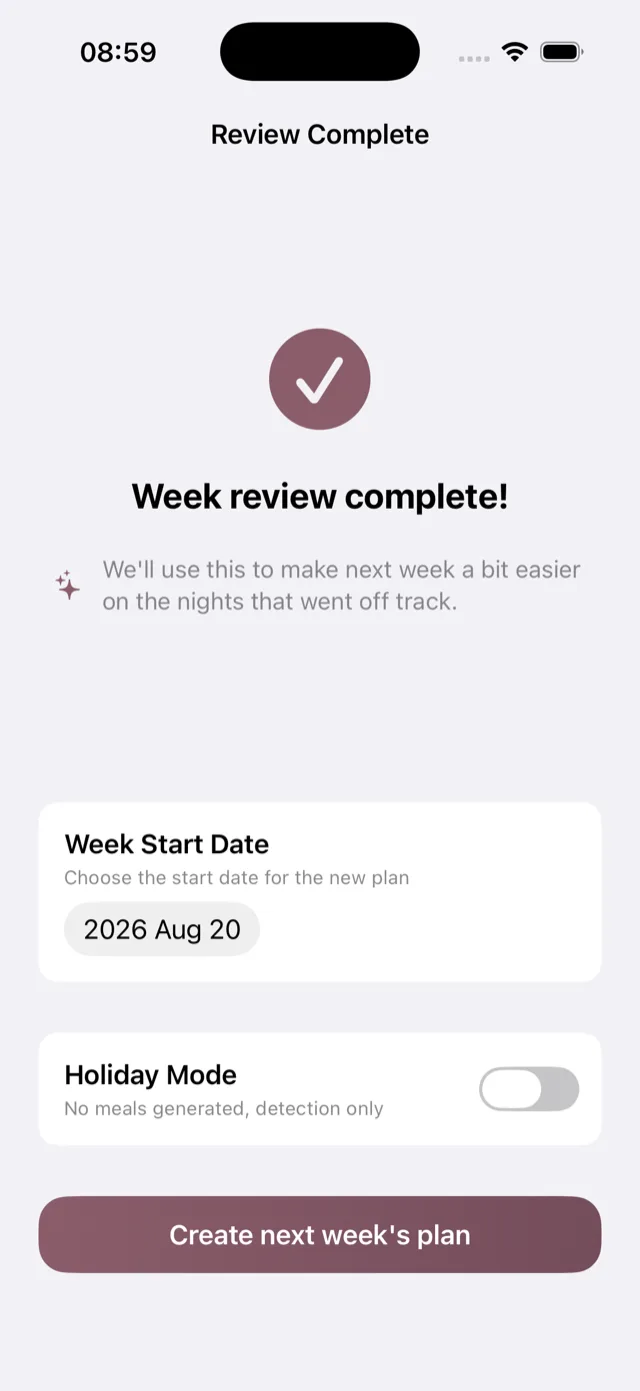
Choosing the start date
The date picker defaults to the day after your current week ends, but you can move it. This is useful if you are away for a few days, or if you shop on a particular day and want the week to line up with it.
If you are away
Turn Holiday Mode on and Bolus generates no meals for that week. See holiday mode.
If you have not done the review
Bolus will remind you. If your week runs out before you have reviewed it, you can still do the review and create the next week at any time; nothing is lost by being late. See no week or meals showing.