The weekly review
How to do your weekly review
The review takes a couple of minutes. Bolus guides you through it one screen at a time.
1. Mark what happened
The whole week appears as a list of days, each meal with the status Bolus already has: Ate, Skipped or Ate out. Most of it is filled in from what you marked during the week.
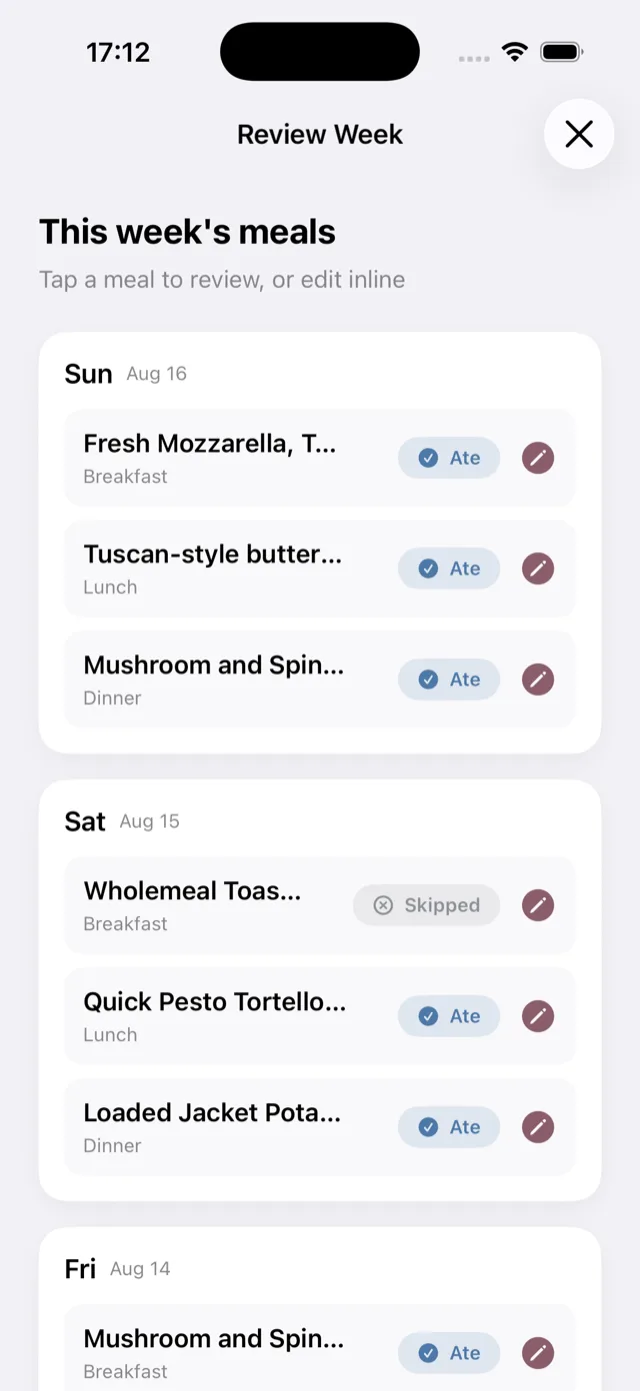
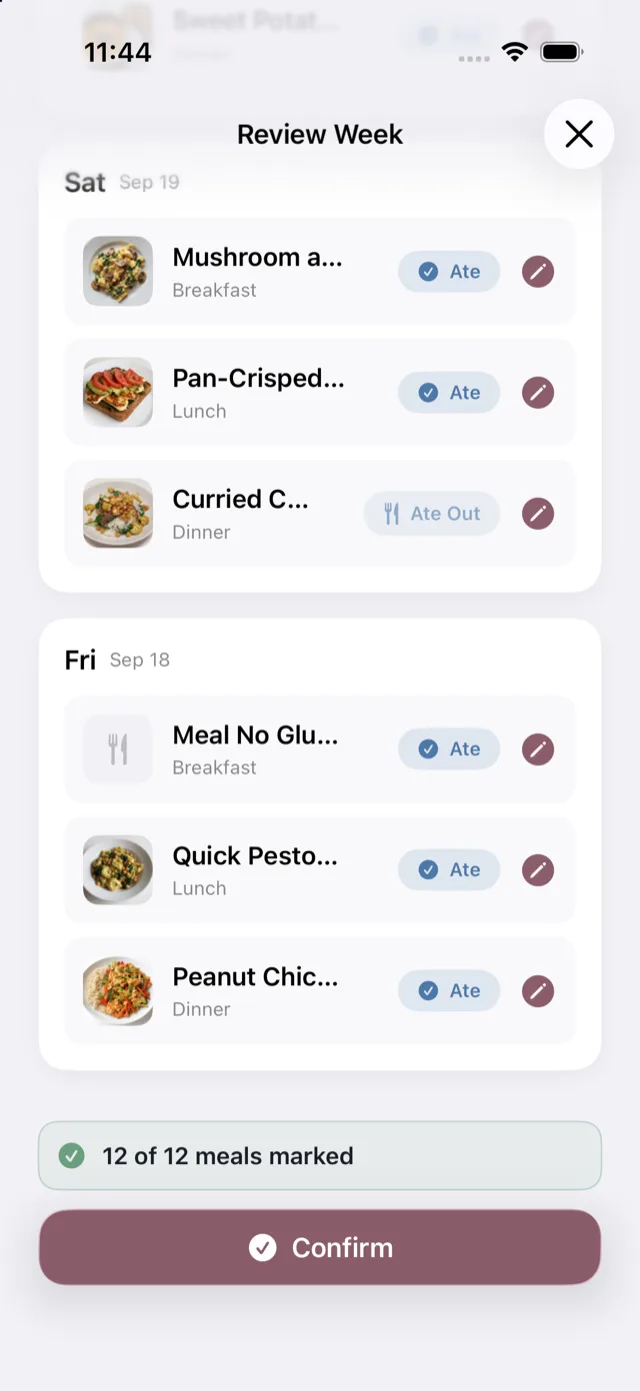
Tap the pencil on a meal to change its status inline. A counter at the foot keeps track, for example “12 of 12 meals marked”, and Confirm unlocks once every meal is marked, so nothing is left to guess at.
2. Look at the week
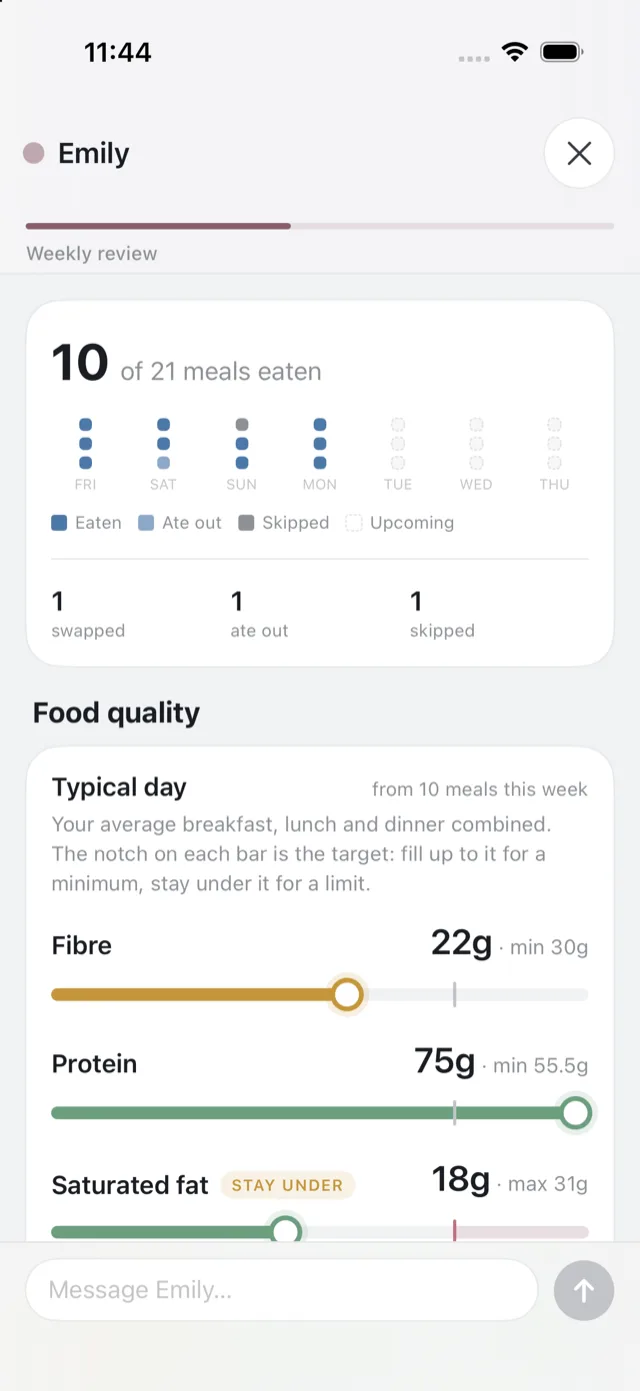
Next comes a summary of the week you had: your meal counts and day strip, then the nutrition of the Bolus meals you ate, including fibre, protein, saturated fat and plant variety against UK reference intakes. See food quality and nutrition.
3. A short chat about it
Emily picks up from there for a brief conversation about what worked and what did not, so the next week can be shaped around it. She may suggest one thing to try and hold it as an agreement to check back on.
The chat is part of Bolus Premium. On the free tier the review goes straight from the summary to setting next week up; nothing is lost and the plan is built the same way.
If Emily cannot be reached, the review says so and offers to carry on to the next step regardless.
4. Set next week up
Finally you choose the start date for the new plan, and whether to put the week on holiday.
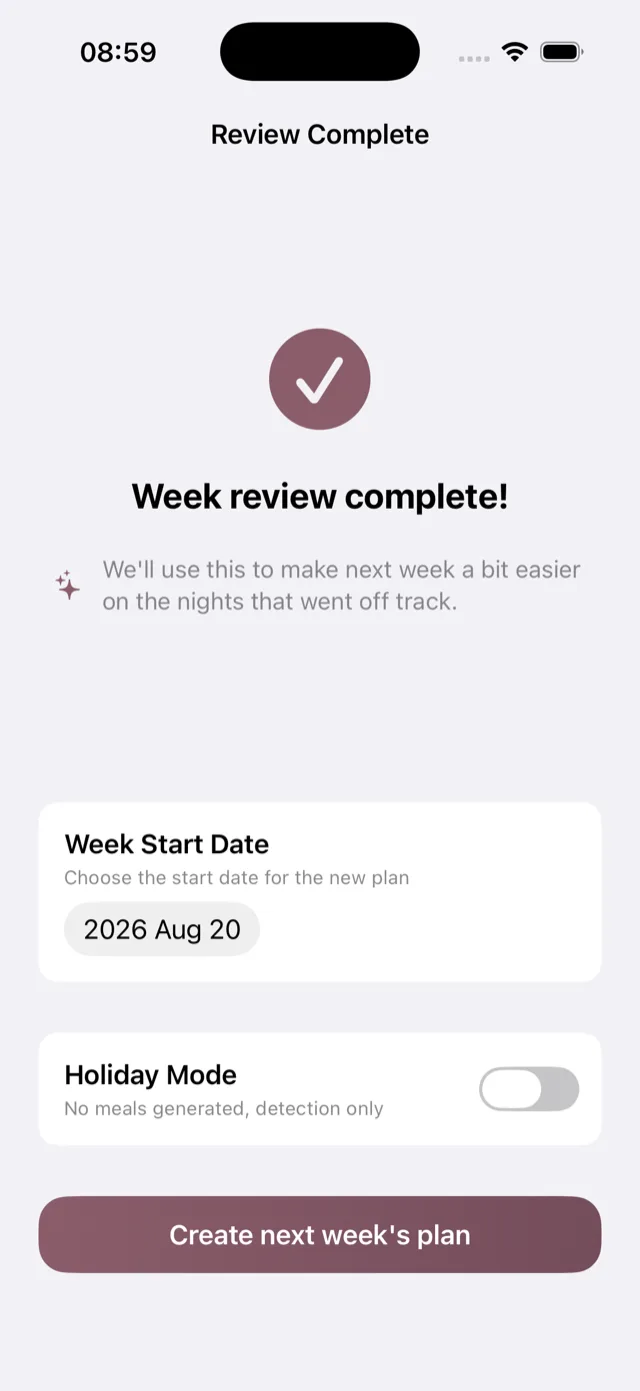
Tap the button to create it and Bolus builds the plan, with the shopping list to match. If Emily built it for you in the conversation, the review says so and offers to view it instead.
What Bolus takes from it
The review is looking for genuine likes and dislikes, not one-off circumstances. A meal you did not enjoy is worth flagging. A meal you skipped because a night got busy is not held against it, so a good meal does not disappear just because life got in the way once. See how Bolus learns from your week.