Setting up next week
Holiday mode
If you are away, you do not want a shopping list for a week you will not be cooking. Holiday mode pauses the planning.
Turning it on
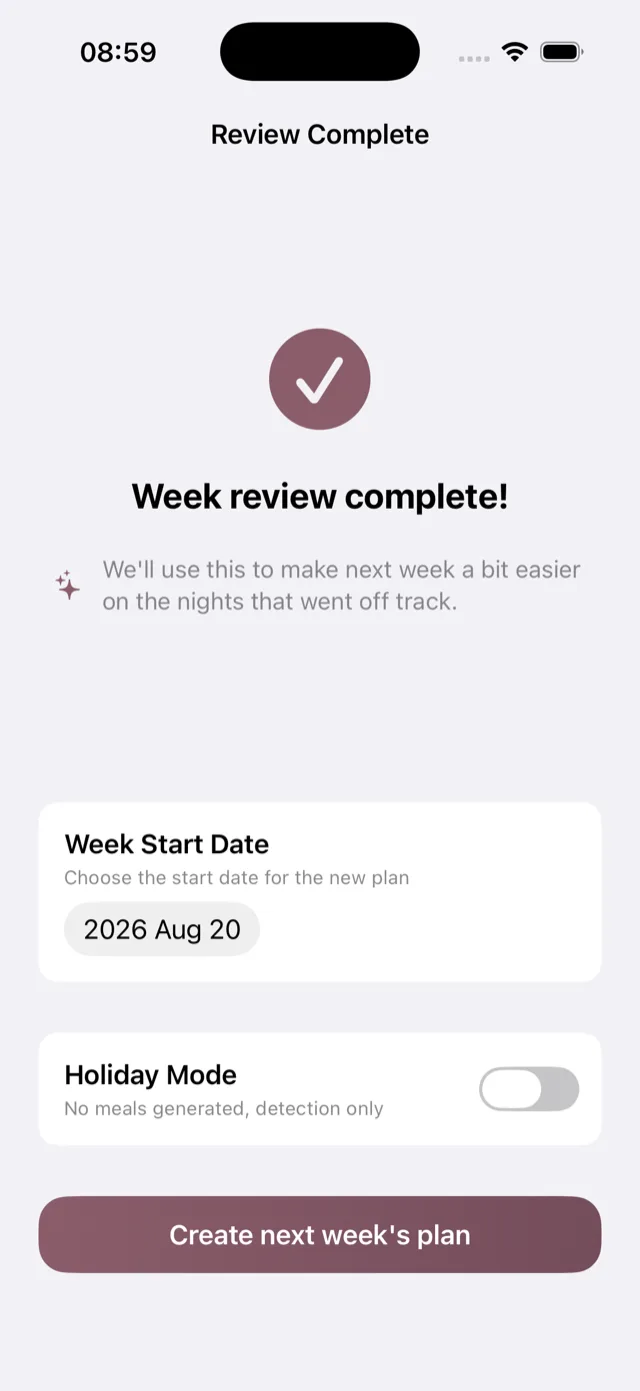
At the end of the weekly review, on the screen where you choose the start date, there is a Holiday Mode toggle. Turn it on before you create the plan.
What it does
No meals are generated for that week, and no shopping list is built. The Plan segment says next week is on holiday rather than showing an empty plan.
What still works
The app does not switch off. You keep your account, your history and your Insights, and if your CGM or Apple Health is connected the glucose and movement data keep arriving, so the week is not a blank in your records.
Coming back
When the holiday week ends, do your weekly review as usual and create the next plan. Bolus picks up where you left off, and a week away does not undo what it has learned about you.
If your plans change
If you end up at home after all, you can create a plan for the week in the normal way. Holiday mode is a decision about one week, not a setting you have to remember to turn off.