Your shopping list
The surplus section
You shop on Sunday, then on Wednesday you eat out. The ingredients you bought for Wednesday do not disappear from the app, and they are not counted as wasted.
What surplus is
Surplus is a section at the foot of your shopping list holding items you had already bought, or marked as having, for a meal that was then skipped or eaten out. The section is headed “Bought for meals you skipped or ate out”, and each row carries a badge saying why it is there.
Why it exists
Two reasons:
- So you know what is actually in your kitchen, rather than assuming the food vanished with the plan.
- So Bolus can use it. When you swap a meal, the suggestions favour meals you already have ingredients for, and surplus counts towards that.
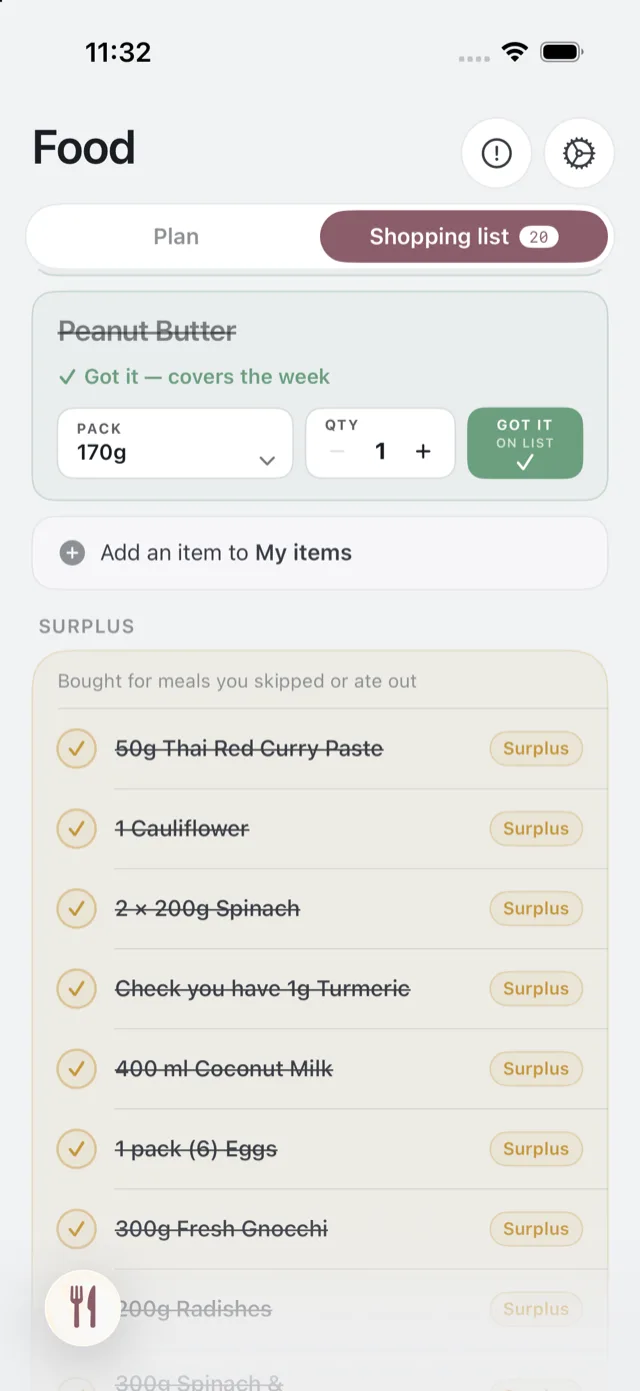
Using it up
There is nothing you have to do. If you want to put the ingredients to work, swap an upcoming meal and look at the meals you have ingredients for group. See swap a meal.
When it clears
Surplus belongs to the week’s list. A new week brings a new list, built from that week’s meals.